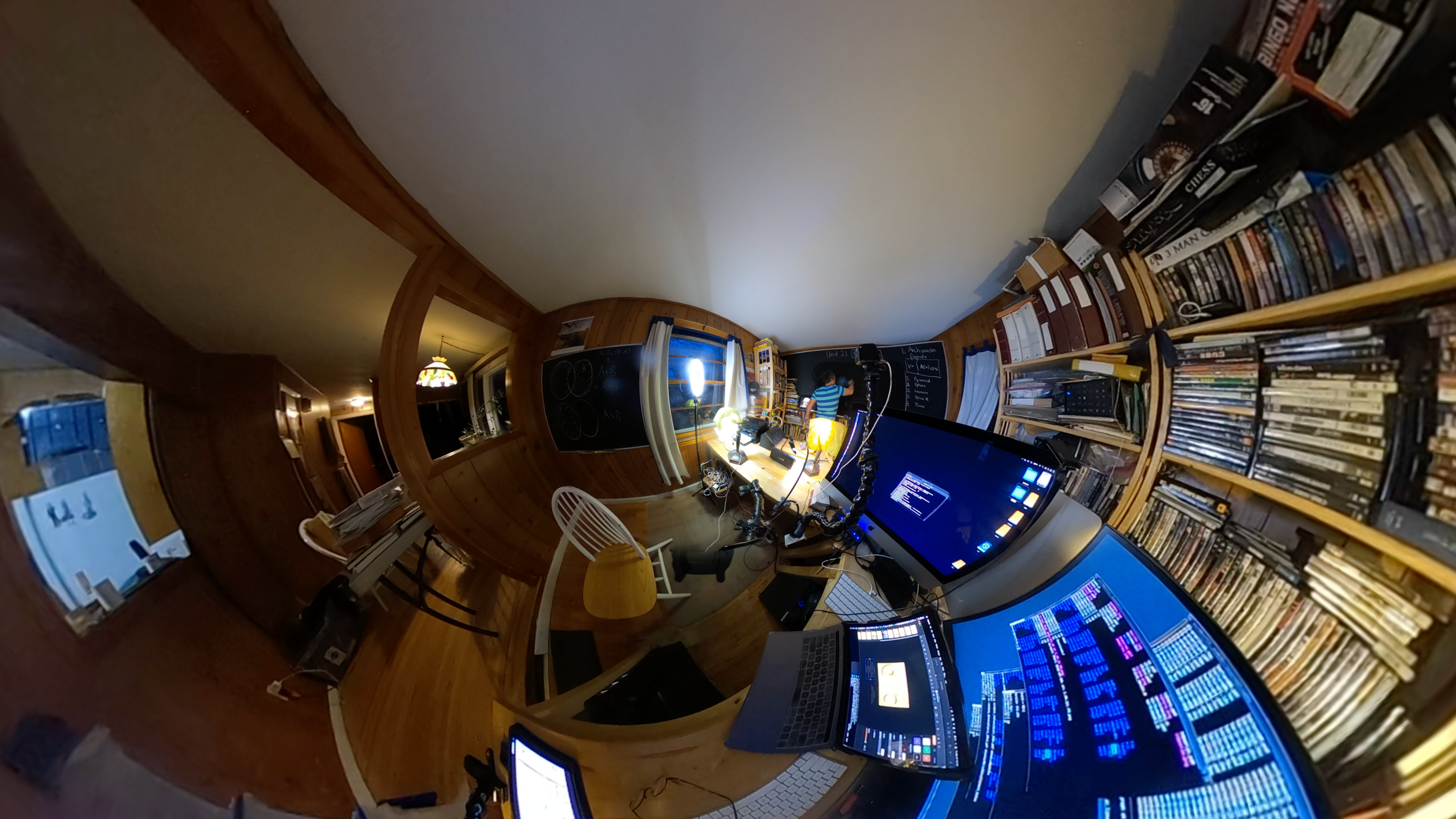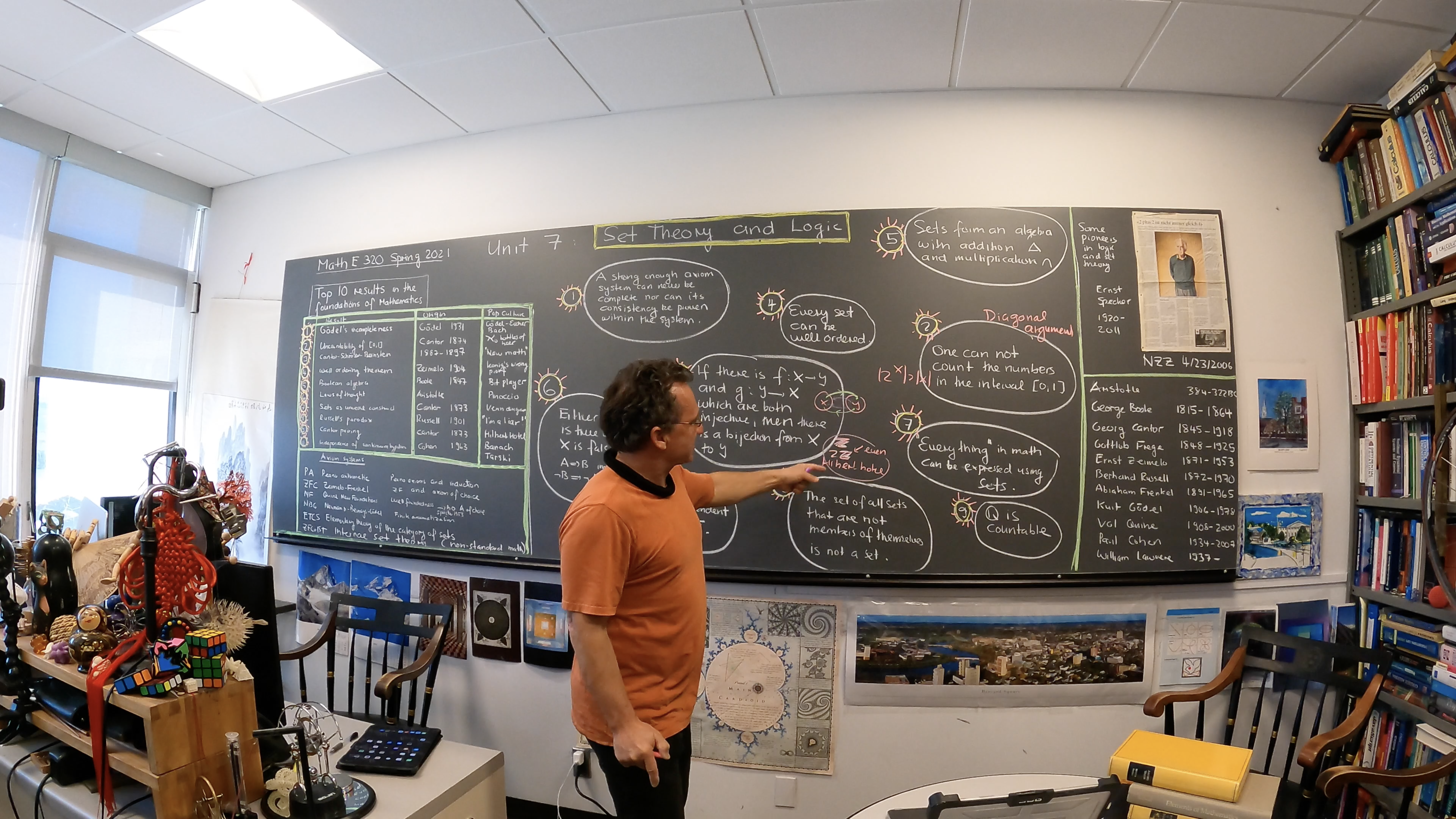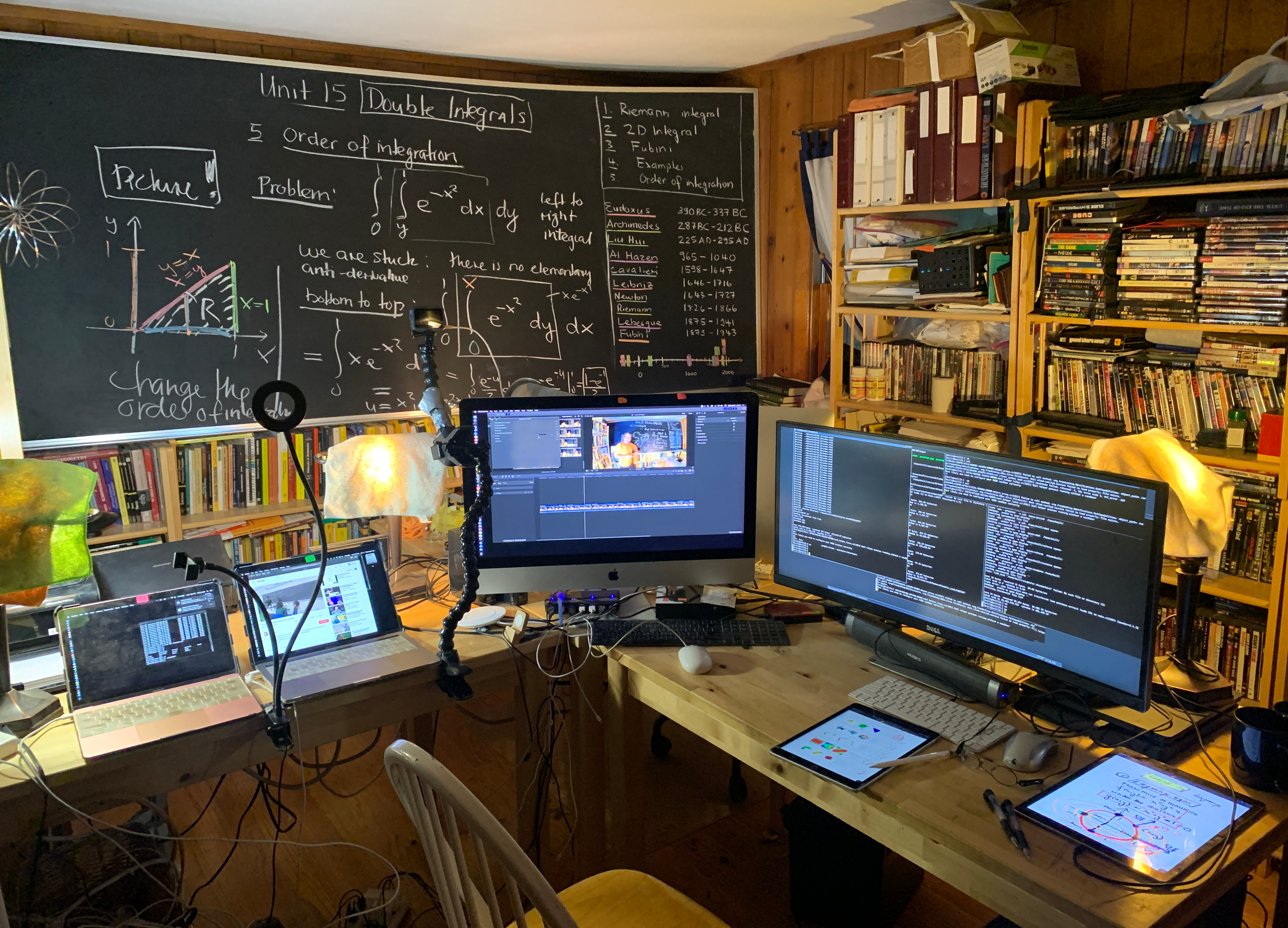
A photo from July 2020. (click for a larger version)
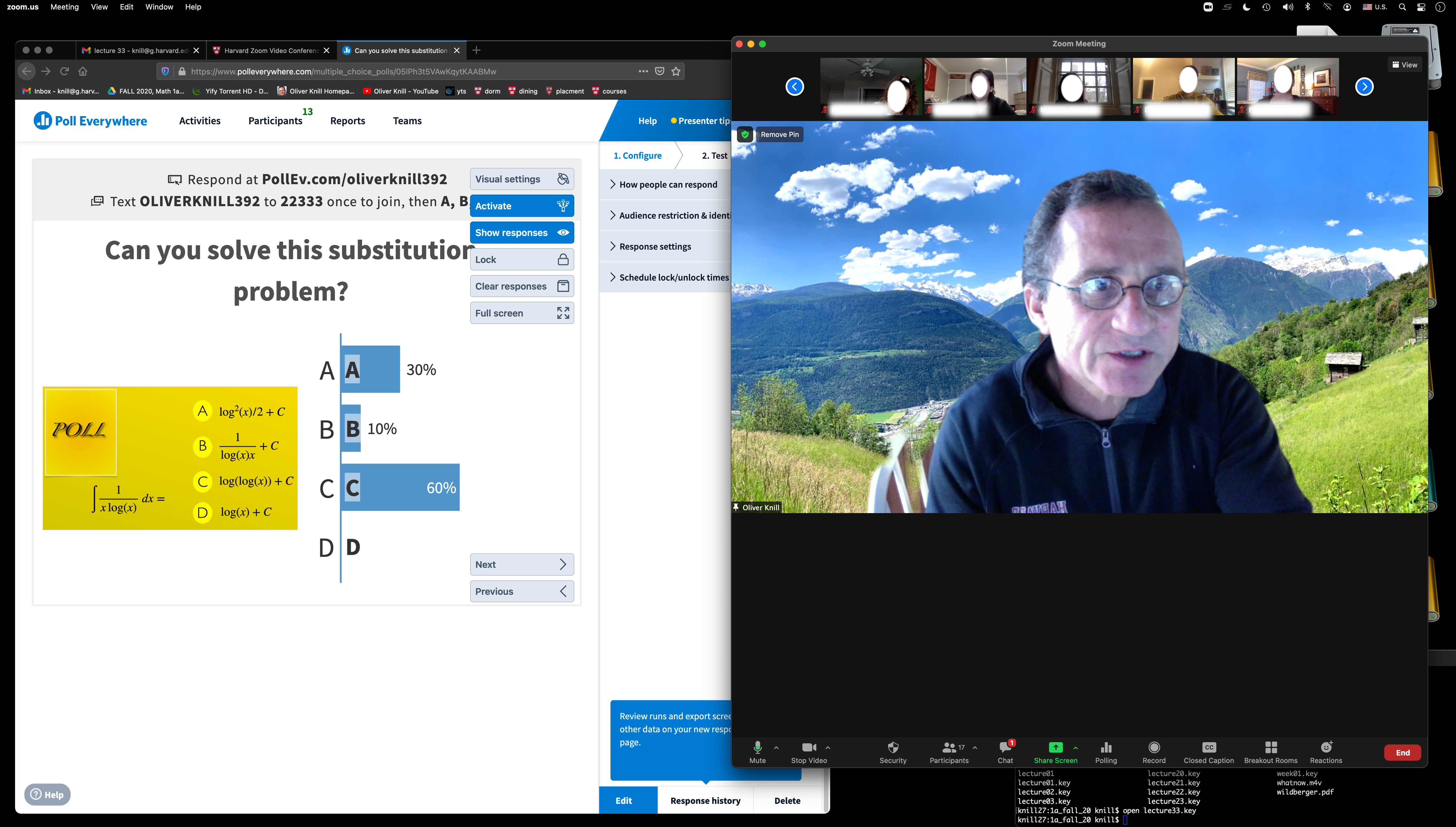
Using polls, November 2020. (click for a larger version)
Compare:
During the year 2020, due to forced remote teaching
we all needed to learn a lot about online learning and technology.
Here are some not yet organized random thoughts.
Follow the guidelines
They have sprung up like mushrooms recently. But it is common sense and not
different than in usual meetings. To be respectful and courteous at all times
is one thing which one should not have to be reminded of as it is the same as
in other classrooms. For online settings, google the word Netiquette. The
most important things are
- Be respectful and be a good listener
- Be forgiving if others struggle with communication
- Humor and sarcasm can be tricky online
Even when doing a discussion, it can be necessary to mute
the microphone when not speaking. This is especially important if there are
noise distractions or a meeting is joined by a phone, where moving the phone
can produce sound. What is different online is that one can be
tempted to go to class in sleep-ware or beach apparel. It is also important
to enable video. Talking to an avatar makes communication difficult as
then all visual component is missing.
In Zoom, one can use a different background which makes it possible
to work also in difficult circumstances like in a room with other people.
The usual recommendation is to be in a quite room alone but that is not
always realistic. Some have to take care of other family members like kids
others have shared offices or room mates.
About myself
I teach mathematics since 35 years. Since 1994, I have always
taught with the material available on course websites. More recently
professional content management systems have taken over. I still prefer
to keep my own websites which are faster to maintain and update.
I teach since 2013 also hybrid and taught the first time in 2016
a pure distance courses with Zoom.
This is the course from 2016, which was taught with Zoom,
where the lectures were all on
Youtube.
This single variable course
was in the second half taught remote as also
this summer course.
Teaching from home
- Teaching from home can require some negotiation with family members. In my case
my wife and I share the same office. She also teaches and takes classes
and has meetings. It needs coordination, especially during recording. You see
the shared office here.
Very important are ear phones, if a family member needs to telephone or talk online
a lot. It can also help to focus and communicate to the surrounding that one is
at work. I used to escape to coffee shops when this was still possible. Now we have
to adapt and arrange.
- Teaching remotely is definitely harder. It takes also more time to prepare.
You have to expect also that this is not going to change.
(Update spring 2021: I teach two courses which I all have taught during 10 years. I
use much more time even now than when developing the courses from scratch).
Using technology
appropriately needs time. It needs more preparation because one has to have solid
backup plans in case some technological component fails. We now routinely rely
on a half a dozen external services like Google drives, course websites like Canvas,
slack for discussion, poll everywhere, jamboards, panopto, youtube. We need
solid internet connection and computers which work. I myself invest there all the
money I have.
- There are huge risks. Technology failures can disrupt a
class. We have very rare power outages ourselves, but they can happen.
Internet outages are rare too, but thy have happened. In other parts of the
country or world, things can be much more difficult.
Noise interruptions, family members needing access, telephone
etc. There can be temporarily bad connections, bad sound to the point
that sometimes one can not hear the person well. There are visibility problems,
there is less body language feedback from the partners.
- Teaching remote requires trust. This is true especially when doing
exams. Honor codes help but if people are working in different locations
it is important to trust and if violations happen draw the consequences.
- All what applies for using technology in the classroom still applies.
It is just amplified now.
See these slides from 2007
and
this write-up [PDF]
Keep it simple
- As a general rule, one always overestimates how much
people can actually absorb and do when connected only by
screens. In seminars, we are currently indoctrinated
to use all kind of third party technology and interactivity
to ``engage" but when it is tried
out even by the proponents it can turn out to be difficult.
When working in a team however which coordinates, it might be
that one has to follow the team rules and use external technology
even if it means that
- I have witnessed train wrecks. Also when doing things
myself. Third party polls, worksheet collaborations etc can fail.
Zoom for example can fail to produce correct break up room things if
the students do not log in from their usual account. Every program has
bugs and one has to work around these bugs.
- With multiple components used in a class the complexity grows.
This needs to be trained. I have observed a
demo lesson, where most of the folks (including me)
were overwhelmed by the complexity of assignment and it had not
even been mathematical. I think I learned now how to do things.
It seems less so to be a problem for students.
- In general, as with any technology, there has to be a backup
solution. I myself could, when teaching in online courses refer to
a youtube video recorded beforehand, scrap a presentation if it should not
work, my CAs can take over if necessary.
Fortunately, things have been pretty reliable since we moved
to online settings.
- Having had to observe other zoom meetings
and also observed some seminars or classes
one of the thing which strikes me how much
time is wasted with unnecessary meta chatter
``can one hear me?", ``how does one get into break out rooms?"
etc. It is the same for meetings as well as classes.
Do not waste peoples time (of course it sometimes happens as
technology can fail or change). But it can mean that if
one part of the technology fails, one should be able to switch.
Interactivity
- How to keep people engaged is a tricky thing
even in a common classroom. When teaching online, this
problem has been elevated to a completely different level.
- It happened that students were banned for too long in
break out rooms where they might be stuck with a ghost or zombie or then
alone because some others have melted away.
I have horror stories from students and I have witnessed
horror myself. Break out rooms can be useful from time to time
but in many cases they are not used well.
- I myself already as a student liked interactivity to
some degree, but there always had been a threshold after which I started
to hate it. If a hyperactive
student performs during a problem session, taking all the attention
to him or herself, I felt that I could use my time more wisely by working
on problems myself. It is all a matter of balance. But it appears also to
be an empirical fact, that many teachers can not do that.
A straight lecture, a direct talk, a presentation, a class discussion
often works. Higher education, where this is practiced is mostly,
one of the only educational systems which really works.
- Very few teachers can handle interactivity well.
The explanation is that it is not only hard, one is flying with much
less information. Even experts have difficulty with this. It is a different
thing to talk to a group in a seminar room or to have people scattered
around all over the world, at home, in living rooms, lying on beds, not visible
at all due to lack of lighting, or even worse, with people who have switched
off video at all (maybe due to lack of bandwith). Of course, this is all
quite personal. A teacher who is good in reading people online and avoid
pitfalls and are handle also violations of netiquette by others can also do more
interaction. The funny thing is that educators who are usually very inclusive
are fanatic in this realm and force others to follow. I'm now older and can
afford to run out of a seminar or ``lecture", in which the speaker forces the participants
to interact with each other. I have hardly seen anybody who can handle such ``talks"
well.
Privacy
It is well known that online there is little privacy. In principle, everything
can be recorded (even if the meeting is not officially recorded, it is trivial
to record a session (or anything else). At any moment, somebody
can make a screen shot. Still I myself feel it to important that everybody
needs to be informed if something is recorded and that one should ask for
permission to record a lecture. Taking screen shots is ok.
Assuming things not to be recorded was a standard assumption for telephone
recordings and companies who record for quality purposes warn the customers.
Federal law prohibits recordings of telephone calls. These are wiretapping laws
which also should apply in online teaching environment. Again, like for testing
this is a matter of trust as one can hardly check this.
I personally do not record classrooms any more because it kills
interactivity and draws people to close off their video and sound.
If I make a mistake, this will be stored for ever somewhere
and you can bet that this is not deleted and even extracts out
of context could make it into the public.
I think there should be a rule for every teacher:
make sure the students know whether the class is recorded or not,
so that they can act appropriately.
Exams
For a smaller course, quizzes and exams are
absolutely no problem. I had a 45 people course in the
spring of 2020 and graded all exams myself with the
tablet.
In the summer of 2020 with 120 students, I also graded
the exams myself. It needs about 3 days of work
(Friday/Saturday/Sunday). I actually did not consider this
to be grading time but ``consultation time" because it
allowed me to be in contact directly with each student,
even if the class was big.
There is a real advantage of having
direct contact to students and no distracting
additional technology like Canvas or Gradescope. If one looks at it
that way, it is actually quite an efficient way to keep contact
with the class.
It is important that students are well
informed on how to submit. I did submissions by email and
this actually worked very well. Using the tablet for
grading is fantastic. Even better in notability than the
grading tool in Canvas. The nice thing about being
independent of an external service, is that I can grade even
without internet connection and without having to be logged
in somewhere. I also can make backups and safeguard myself for
a technology failure.
Group work
I myself use break-out room but keep also a main component without break-out.
Maybe mostly because as a participant, I have rarely seen break-out rooms
used well. If done too much or too long they can become obnoxious. Maybe one is lucky to be
in a good group, sometimes it can be painful, when stuck with
unresponsive members. Especially
if there are ``ghost people" in the group who one can not hear or
see. Putting a class with 130 students into break out rooms
did not work well for me but sometimes it is useful.
I have heard horror stories (and observed myself)
of how people were placed in break out rooms and
then left there for inappropriate times. As in group work,
most people think they can handle group work well. The
reality is that most do manage group work catastrophically badly.
And even pros fail. I have seen one case (a course organized by
the Harvard Bok center) which was done well: there was
short break out room component which was not too long. What
helped of course is that the people who signed in there
obviously all are already selected to be faculty who teach
and also who are highly motivated.
It still can be a matter of luck with whom you are getting
banned into a break-out adventure.
Communication barriers
- Communication can be hard if people turn off videos.
- If members are not muted and fill the room with noise (like a microphone rubbing
on some cloth) this can be distracting.
- There can be connection issues, electricity out, router problems. It happens
regularly, especially in larger groups. There can be bad weather in other parts
of the world for example.
- Bad video or sound quality is very frequent.
- Lighting is often not good, only shadow visible (I'm amazed here that even experienced
teachers can get this wrong).
- One only sees half the face or not at all.
- The camera is in a bad position. The person look at you from above
- The person drowns in front of you. If lucky, one can see the eyes.
- Disturbance from surroundings, work noise, people, telephone (very frequent).
Invest
What made things easier is to invest well in technology,
Technology can fail. I have multiple backups, redundant set-ups
with different operating systems, multiple laptops and tablets. Even multiple desktops.
I upgraded my routers and firealls.

My zoom set-up in 2016 from my office (click for a larger picture). You see that here already in 2016. I had
used two laptops and an additional screen. At that time, zoom and keynote together
would bring down a laptop (freeze up) and I presented the keynote from a different laptop logged in
as a different person. That distributed the load. You see also use of blackboard and preps.
I'm very grateful that my I got in the spring an ipad from FAS for teaching.
I still have old ipads but the older generations are not strong enough
to support zoom or have battery issues even draining while plugged
in. The newer generations are stronger and also of course have better
batteries. The new ipad dropped and the glass got shattered. I could not afford
a new one, so that I fixed it with a fixing kit. This needs an afternoon of
time and weeks until the repair kits come. Fortunately, this had happened
between spring and summer, when I was not teaching.
For redundancy, one needs two tablets as they are a life line. Also the apple-pens
can break for example while charging (or then run out of battery).
Of course this all is expensive. I myself use more money on technology than
I can actually afford (probably over 100'000 dollars during the 20 years at
Harvard for hardware alone, which includes also equipment for home
including my wife). And I would do it again, as there can be nothing more frustrating than
dysfunctional or slow hardware.
Document history:
- 10/14/2020: start, first online,
- 10/22/2020: updates,
- 03/19/2021: two recent photos
|
|